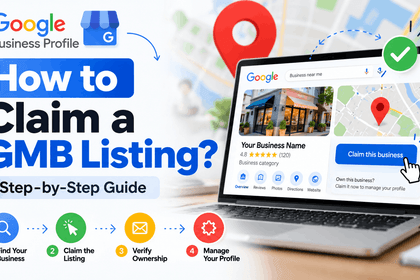

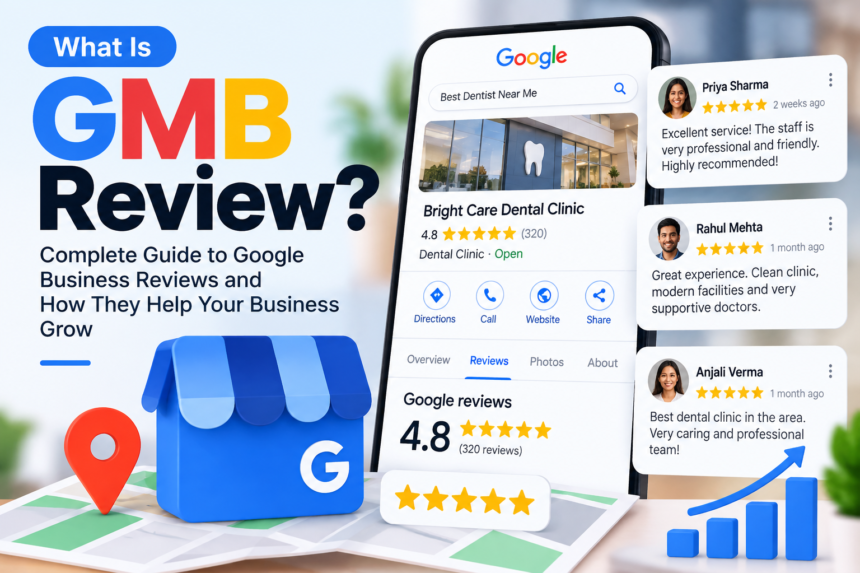
GMB stands for Google My Business, a free tool that lets businesses manage how they appear on Google Search and Google Maps. Google renamed it Google Business Profile in 2021. A profile shows your name, address, phone number, hours, photos, and reviews to people searching for your business or services nearby.
Key Takeaways
- GMB (Google My Business) and Google Business Profile are the same product.
- It is free and controls your listing in Search and Maps.
- Complete profiles with recent reviews and photos are easier for customers to trust and act on.
- You manage it directly from Google Search or Maps, or through the Google Business Profile app.
- Verification is required before your listing is fully visible.
What does GMB stand for?
GMB stands for Google My Business. The product launched in 2014 and was rebranded Google Business Profile in November 2021. The name GMB is still widely used by business owners, marketers, and agencies, which is why people still search for it.
What is a Google Business Profile?
A Google Business Profile is a free business listing that appears in Google Search results, the local pack, and Google Maps. It lets a business publish accurate details and respond to customers directly.
A profile can include:
- Business name, category, and description
- Address or service area
- Opening hours and phone number
- Website link
- Photos and videos
- Customer reviews and owner replies
- Services, products, and updates
GMB vs Google Business Profile: what is the difference?
There is no functional difference. The name changed, and so did the way you manage it.
| Google My Business (GMB) | Google Business Profile | |
|---|---|---|
| Status | Former name | Current name |
| Launched | 2014 | Renamed in 2021 |
| Cost | Free | Free |
| Where you manage it | Separate dashboard and app (retired) | Directly in Google Search and Maps, plus the mobile app |
| Same listing? | Yes | Yes |
How does GMB help local SEO?
A Google Business Profile helps local SEO because it puts your business in front of nearby people at the moment they search. Google says local results are based on three factors: relevance (how well your profile matches the search), distance (how close you are to the searcher), and prominence (how well known your business is, based on reviews, links, and information across the web).
You cannot control distance. You can improve relevance by choosing accurate categories and listing your full services. You can build prominence by earning genuine reviews and keeping your details consistent across the web.
Many customers act without ever visiting your website. They tap Call or Directions straight from the listing, so accurate hours and a working phone number matter as much as rankings.
How do you set up a Google Business Profile?
- Sign in with a Google account your business will control long term.
- Search for your business name on Google or Maps. Claim the listing if it exists, or add a new one.
- Enter your details: name, category, address or service area, phone, and website.
- Verify your business. Google may ask for a video, phone call, text, email, or postcard. Postcards typically take several days.
- Complete your profile with hours, services, a description, and real photos.
How do you rank higher on Google Maps?
Focus on the basics Google actually uses:
- Choose the most specific primary category. “Italian restaurant” is stronger than “restaurant” if it is accurate.
- Collect honest reviews. Send customers a direct review link and reply to every review, positive or negative.
- Keep your name, address, and phone number consistent across your website and directories.
- Upload real photos of your location, team, and work. Avoid stock images.
- List every service with a short description.
- Post updates such as offers, events, or finished projects.
What are the most common GMB mistakes?
- Adding keywords to your business name, which can lead to suspension
- Using a virtual office or mailbox as your address
- Creating duplicate listings for the same location
- Ignoring reviews and customer questions
- Leaving hours and contact details out of date
1. Is GMB free?
Yes. Creating and managing a Google Business Profile costs nothing.
2. Is Google My Business still available?
Yes, under the name Google Business Profile. The old dashboard was retired, and you now manage your listing from Google Search and Maps.
3. Do I need a website for GMB?
No. A website is not required, but it strengthens your local visibility over time.
4. Can I use GMB without a physical location?
Yes. Service-area businesses can hide their address and list the areas they serve.
5. How long does GMB verification take?
Video, phone, or email verification can take minutes. Postcard verification usually takes several days.
6. Does GMB help with SEO?
It helps with local SEO by improving how your business appears for nearby searches. It works alongside a good website, not instead of one.
Conclusion
So, what is GMB? It is Google My Business, now called Google Business Profile: the free listing that decides how your business appears to local searchers on Google. Claim it, verify it, fill it in completely, and keep it current.
Read More:- What Is GMB Review?