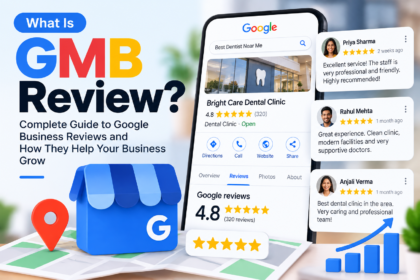


Have you ever checked Google and been frustrated by the results?
- The location details are wrong.
- Competitors are getting more traction online.
This is a common issue that many business owners face, even if they have already made a business listing before.
The solution?
That’s where “Google My Business or GMB” comes into the picture.
Want to know “what is GMB”?
GMB, a free platform that helps business owners to display their details on Google so that customers can find them easily online as well as on Maps.
You can easily update your information, manage many locations, and incredibly connect with customers.
The Benefit? Improve your local visibility more easily and gain trust for your business online to a great extent.
In this blog, we well know about the ins and outs of GMB including GMB full form, its optimization, benefits and more.
Let’s begin!
Well, what is GMB?
The GMB full form stands for “Google My Business”. It is a free tool that allows businesses to list their specified business details on search engines like Google without paying anything.
This way, people can discover their businesses with the help of Google Maps and searches.
GMB allows customers to look for important business-related information such as
- Phone number
- Timings
- Business address
- Opening hours
- Reviews and photos
Initially, the name of this platform was Google Places, and then it moved to GMB. And to avoid the confusion of “What is GMB full form?” It is simply referred to as Google My Business.
What is GMB Optimization and what are its Benefits
The GMB full form in digital marketing is Google My Business, and users must have a deep understanding of GMB meaning and how it works. Here are the benefits that let you know why GMB optimization is vital in digital marketing.
- As your business appears in nearby Google searches as well as Maps, it gets better local reach.
- Customers can directly come in and connect with your business via call or message or even get directions. The outcome? Customer engagement is on the higher side.
- A well-optimized GMB profile can provide a stronger local presence along with improvised visibility.
- With authentic GMB reviews and ratings, the customer trust in your business will get a boost.
Key Factors That Improve Google My Business Ranking
Understanding the GMB full form and knowing what is GMB in SEO can help businesses improve their local search visibility and local rankings.
| Factors that determine the ranking on GMB | What its significance |
| Details that tell about you and your business | Name, address, number, timings, and site details |
| Categories & Services | The category you choose for your business tells Google about the type of services/products you offer. |
| Accurate Location | Correct map location |
| High-Quality Photos & Videos | Professional visuals |
| Latest GMB Customer Reviews | Regular reviews improvize credibility and local rankings. |
| Business Description | A clear description+ local keywords |
A step-by-step process for GMB optimization
Knowing about the GMB meaning is significant, as it can help improve visibility on the local level. The GMB full form in digital marketing is Google My Business, and it can help in optimizing it properly so that the business can rank better when it comes to local searches.
Step 1: Claim and verify the listing
Craft a business profile and then further go for the GMB verification process.
Step 2: Input all the business details.
Input all the details related to your business like name, phone number, and address consistent all across the online platforms.
Step 3: Profile completion and photo uploads
Add business descriptions (with local keywords), the categories that support your business activity, timings, services, etc. Also add the professional images of your business, including services or products.
Step 4: Customer reviews and updates
Respond to all the reviews so that you can make your profile visible and trustworthy. To make your business more authentic and active on GMB, then you can share offers, announcements, etc.
Step 5: Optimization and competitor analysis
Optimize your site well and also study top-ranking business profiles so that you can better understand your industry.
Advanced GMB Optimization Tactics
Basic optimization is not going to help you in gaining stronger local visibility. As local search systems of Google have become smarter, businesses now need advanced strategies. Understanding the GMB meaning and applying modern optimization techniques can help you stand out in the local SEO competition.
1. AI & Generative Search Enhancements
Google’s AI-powered search experience now focuses on structured as well as location-based information, and they are more likely to appear in AI summaries and local recommendations.
- Add clear service-related FAQs
- Use location-specific keywords
- Updated business details
2. Video Verification Benefits
Video verification is what your business needs, as it can confirm to Google that your business is real and actively operating.
- Clear branding
- Actual business location needs to be properly recorded.
- Include photos related to your business space, products or more
3. Local Community Engagement
Community interaction improves local authority and often gets better engagement on Google.
- Share local events/activities
- Encourage customers to tag your business on online platforms.
4. Collaboration & Cross-Promotion
To improvise the brand reach, collaborate with local creators and businesses can be a great strategy.
- Collaborate with nearby businesses
- Partner with local creators
- Mention each other in posts and promotions
5. Timely Updates & Special Offers
A regular and frequent activity on your profile lets Google understand that your business is running actively. This is an important part of the GMB full form in digital marketing strategy.
- Special discounts on products/services is a great strategy to fetch more customers
- Use images that are eye-catching and speak about your business.
Tracking Your Results
There is a saying “what you can measure is what you can improve.” That’s completely true here. Understanding the GMB full form is only the beginning but tracking your performance is what makes your business apart.
| Tracking Area | What to Monitor |
| GBP Insights | Views, searches, profile visits |
| GMB Search Rankings | Local keyword positions |
| Google Analytics | Website traffic from GBP |
| GMB Reviews & Engagement | Calls, clicks, customer reviews |
Understanding the GMB full form in digital marketing also means knowing how to measure your local SEO growth properly.
How do you get your business listed on GMB
Understanding the GMB full form and the procedure to list your business can help to gain exceptional traction
- Browse “Google My business (GMB)” and click the site address.
- Sign in and select the company name.
- Choose appropriate location, sort your company listing into categories and type the other details such as contact information etc.
- Complete the procedure and submit in. It will take a few days to validate your GMB business listing.
- You can verify your business via phone, email, instant confirmation or by postcard
Final Thoughts
GMB optimization is not just about a one-time event, but it’s more about continuous effort. Understanding the GMB full form, how to enhance your profile, and providing the right kind of information can help you to boost your profile locally and gain more customers.
Well, what is the GMB full form?
The GMB full form is Google My Business.
What is a GMB review?
The customer reviews on the GMB can help businesses in getting the valuable feedback and help them to improvise their business processes.
What is GMB Google?
GMB is a business listing tool on Google that allows local customers to find the right business. It also helps businesses achieve a broader local online presence and increase their visibility.
What is a GMB listing?
A GMB listing is a free tool in which a business can create a listing based on their product or service and provide customers the right kind of business information.
What is GMB ranking?
GMB ranking is a powerful parameter that allows businesses to appear on Google Search and Maps. The better the ranking, the better the business can appear in the search results.