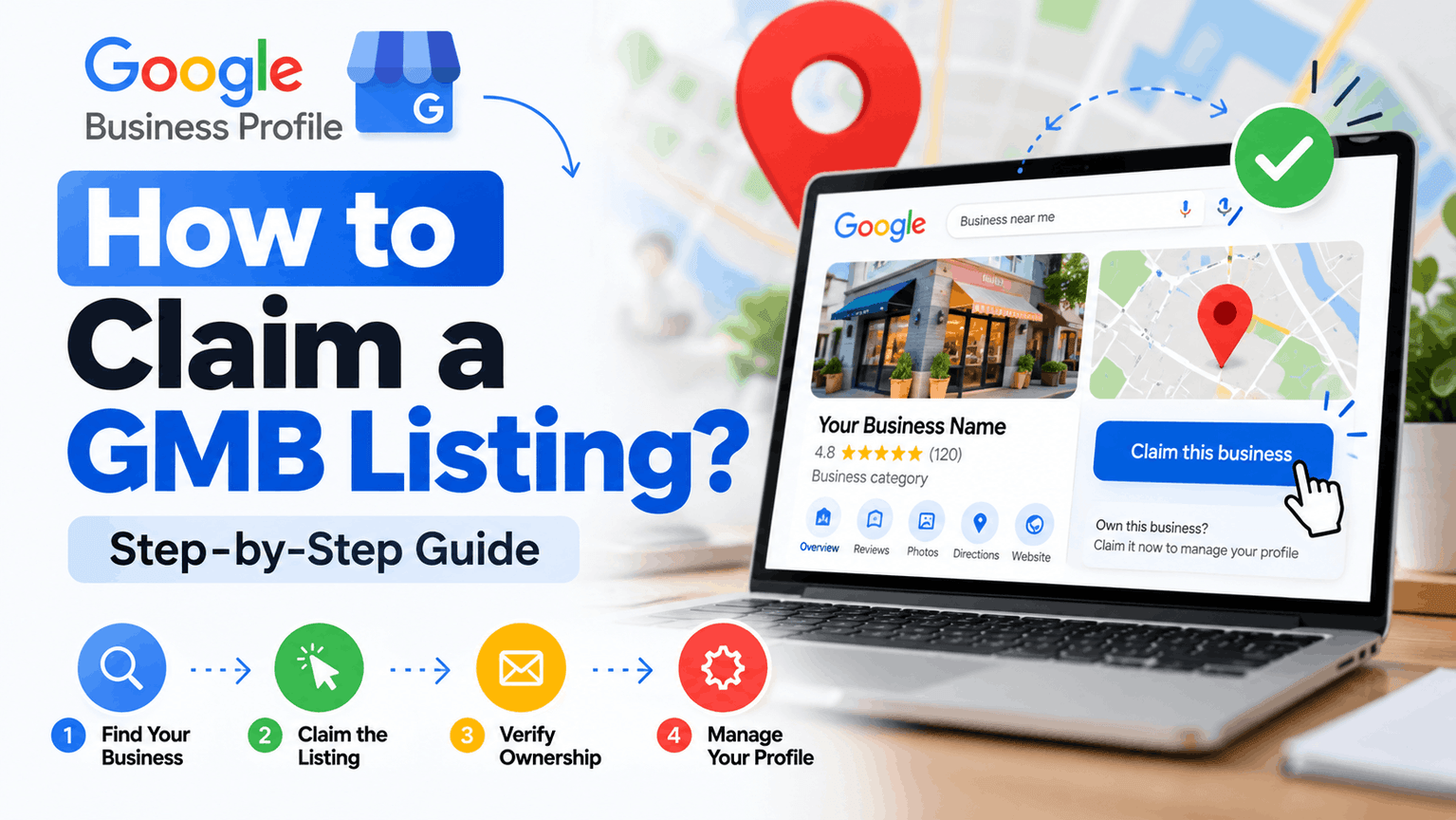

Short answer: Sign in to a Google account, search for your business on Google Search or Maps, click “Claim this business” (or “Manage this profile”), and complete the verification Google offers, usually a phone call, text, email, video, or postcard. Most businesses finish in a few minutes to a couple of weeks, depending on the verification method.
Google My Business (GMB) was renamed Google Business Profile in 2021. People still search for “GMB listing,” but it is the same free listing that shows your business on Google Search and Maps. How to Claim gmb listing
Before You Start | How to Claim gmb listing
Gather these first:
- A Google account you want to own the listing (use a company email, not a personal one you might lose)
- Your exact business name, address, phone number, and website
- Proof you run the business, in case Google asks for it (a utility bill, business license, or photos of your storefront and signage)
Step-by-Step: Claiming Your Listing
1. Search for your business. Type your business name and city into Google Search or Google Maps while signed in. If a listing exists, it appears in a panel on the right (desktop) or top of results (mobile).
2. Click “Claim this business” or “Manage this profile.” If you see neither, the listing may already be claimed, or it may not exist yet. In that case, go to business.google.com and choose “Add your business to Google.”
3. Confirm your details. Check the name, category, address, and phone number. Use your real business name as it appears on your signage. Adding keywords (“Best Cheap Plumber Delhi”) violates Google’s guidelines and can get your profile suspended.
4. Choose a verification method. Google decides which options you see. Common ones:
- Phone or text: A code arrives within seconds.
- Email: A code goes to your business address.
- Video recording: You film your storefront, equipment, and proof of operation.
- Live video call: A Google rep watches you show your business in real time.
- Postcard: A code is mailed to your address. It usually takes 5 to 14 days.
5. Enter your code and finish. Once verified, the profile is yours to edit.
What If Someone Else Already Claimed It?
This happens often with old listings created by a former employee, agency, or web designer. Click “Request access” on the listing. The current owner gets an email and has three days to respond. If they ignore it, you can then claim ownership yourself. If they refuse, you can appeal to Google with proof of your connection to the business.
Do not create a duplicate listing to get around this. Duplicates split your reviews and can trigger suspension.
Why Verification Fails (and Fixes)
Common causes are a mismatched business name, an address Google reads as a virtual office or PO box, and a website that doesn’t match the listing. If a postcard never arrives, check that your address is complete, including unit numbers, and request a new one after 14 days. Video verification often works better when postcards keep failing.
Service-area businesses, such as plumbers or delivery services, can hide their street address and list the areas they serve instead. You still need to verify, but customers won’t see your home address.
After You Claim: Do These Five Things
Claiming is only the start. Profiles that are complete tend to rank better in the local map pack.
- Pick the right primary category. This is one of the strongest local ranking signals. Add secondary categories only if they truly apply.
- Write a clear description. Explain what you do, who you serve, and where, in plain language. AI search tools and Google’s AI Overviews pull from descriptions like this, so clarity beats cleverness.
- Add real photos. Storefront, interior, team, and work examples. Real images get more engagement than stock images.
- Set accurate hours, including holidays. Wrong hours are one of the top complaints in reviews.
- Collect and answer reviews. Ask happy customers directly, and reply to every review, including negative ones, calmly and specifically.
Keep your name, address, and phone number identical across your website, social profiles, and directories. AI systems and Google cross-check these details, and inconsistencies weaken trust in your listing.
Quick FAQ
Is claiming a Google Business Profile free? Yes. Google does not charge for it. Be wary of agencies that claim you must pay to be listed.
How long does it take? Instant with phone, text, or email. Up to two weeks by postcard. Video verification usually takes a few days.
Can I claim a listing without a physical location? Yes, if you are a service-area business that meets customers at their location. Google does not allow listings for businesses with no real presence at all.
Can I manage multiple locations? Yes. Chains with 10 or more locations can use bulk verification.
Claim the listing, verify it, and fill it out thoroughly. It takes under an hour and is one of the cheapest ways to show up when people search near you.