
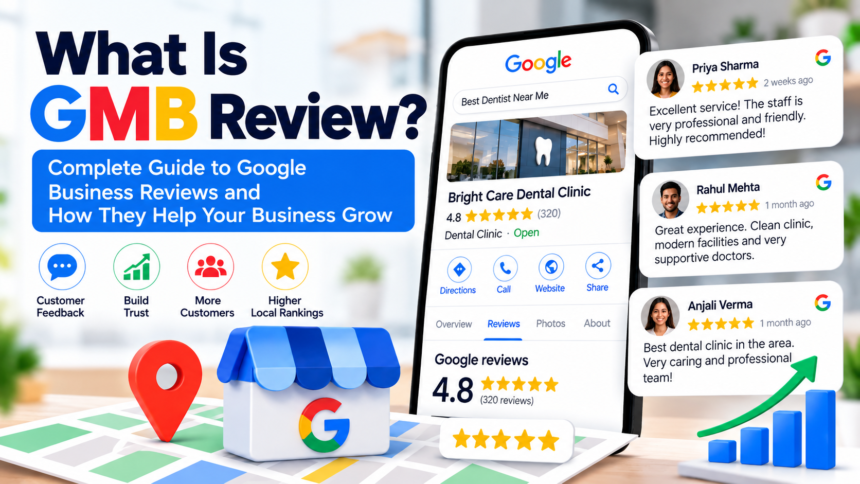
What Is GMB Review is a star rating (1 to 5) and an optional written comment that a customer leaves on a business’s Google Business Profile. GMB stands for Google My Business, the old name of the tool. Google renamed it Google Business Profile in 2021, but most people still say “GMB review.”
These reviews show up in Google Search and Google Maps, right next to your business name, address, and hours. When someone searches “dentist near me,” the stars they see under each listing are GMB reviews.
GMB Review: Quick Answer
- What it is: A public rating and comment about a business, posted on Google.
- Who writes it: Any customer with a Google account.
- Where it appears: Google Search, Google Maps, and the business’s Google Business Profile.
- Who can reply: The business owner or manager.
- Why it matters: It affects local rankings and whether people choose you over a competitor.
How Does What Is GMB Review Work?
The process is simple. A customer finds your business on Google or Maps, taps “Write a review,” picks a star rating, and types a comment if they want to. They can also add photos.
Once posted, the review is public. Your average rating updates, and your total review count goes up. You get a notification and can respond from your profile.
Some things people get wrong:
- You can’t delete a review you dislike. You can only report it to Google if it breaks their policies, such as spam, fake content, or offensive language.
- The reviewer can edit or delete their own review at any time.
- A star rating with no text still counts. It changes your average like any other.
Why GMB Reviews Matter for Local SEO
Google says local results are ranked mainly by relevance, distance, and prominence. Prominence is how well known a business is, and review count and rating feed into it. So reviews are not the only factor, but they are a visible, controllable one.
There is also a human side. Most of us check the stars before we call, visit, or book. If two plumbers are equally close and one has 4.7 stars from 200 reviews while the other has 3.9 from 12, the choice is easy.
Reviews help you in three ways:
- Trust. Strangers believe other customers more than they believe your ad.
- Clicks. Higher ratings tend to earn more taps on your listing.
- Keywords. Customers often mention the service and the area (“best haircut in Saket”), which gives Google extra context about what you do and where.
What Makes a Good GMB Review?
Google doesn’t publish a checklist, but from a business owner’s view the most useful reviews share a few traits:
- They mention a specific service or product.
- They describe a real experience, not a generic “great!”
- They include the location or context naturally.
- They are recent. A profile with reviews from the last month looks alive.
You can’t script what customers write, and you shouldn’t try. Fake or coached reviews are against Google’s rules and easy to spot.
How to Get More GMB Reviews
Most happy customers never leave a review unless someone asks. That is the whole secret, and it’s a little embarrassing how often it works.
1. Use your direct review link. In your Google Business Profile, find the option to share your review form. It opens the review box in one tap. Put it in WhatsApp messages, email signatures, and invoices.
2. Ask at the right moment. Right after a good result, like a delivered order or a finished repair, is when people feel most positive.
3. Add a QR code. Print it on your counter, packaging, or bill. It’s especially useful for shops and clinics where customers are already standing in front of you.
4. Make it easy. Every extra step loses people. One link, one tap, done.
5. Train your team. The person who serves the customer is best placed to ask. A short, friendly “if you liked it, a Google review would help us a lot” is enough.
What not to do: Don’t offer discounts or gifts in exchange for reviews, and don’t review your own business. Google’s policies prohibit both, and it can remove reviews or restrict your profile.
How to Respond to GMB Reviews
Replying is free and it matters. It shows future customers that a real person is running the place.
For positive reviews: Thank them by name, mention something specific they said, and keep it short.
For negative reviews: Stay calm. Apologize for the experience, state what you’ll do, and offer to continue offline. Don’t argue in public. The reply is written for the next hundred people reading it, not just the angry one.
For fake or abusive reviews: Use the report option and explain why it violates policy. Removal isn’t guaranteed and can take time, so keep replying to genuine reviews in the meantime.
GMB Reviews and Generative Search (GEO)
More people now get answers from AI tools like Google’s AI Overviews, ChatGPT, and Perplexity. These tools pull from what’s publicly available about your business, and reviews are a big part of that.
To make your profile easier for both people and AI to understand:
- Keep your name, address, and phone number identical everywhere online.
- Fill out every section of your Google Business Profile, including services and categories.
- Encourage reviews that describe what you actually did for the customer.
- Answer reviews in plain, specific language rather than stock phrases.
Clear, consistent, detailed information gives AI systems something reliable to quote.
What does GMB stand for in reviews?
GMB stands for Google My Business. It’s now called Google Business Profile, but the term “GMB review” is still widely used.
Are GMB reviews and Google reviews the same thing?
Yes. A GMB review is simply a Google review left on a business listing.
Do GMB reviews help SEO?
Yes, for local search. Review quantity, rating, and recency contribute to how prominent your business appears, alongside relevance and distance.
Can I remove a bad GMB review?
Only if it violates Google’s policies. You can report it, but you can’t delete it yourself. Otherwise, respond professionally.
How many reviews do I need?
There’s no magic number. Aim to steadily beat your local competitors in both count and rating, and keep new reviews coming in.
Is it legal to pay for reviews?
Paying for or incentivizing reviews goes against Google’s policies, and in many places fake reviews can also break consumer protection rules.